

Check 1: read the word page
Make a Kid Reads story (how), choosing the level and the lesson your child has reached. The story opens with a Words to look for page: the story’s words grouped by sound, then its heart words. Skim it against the lesson. Every word should use a pattern taught by then.
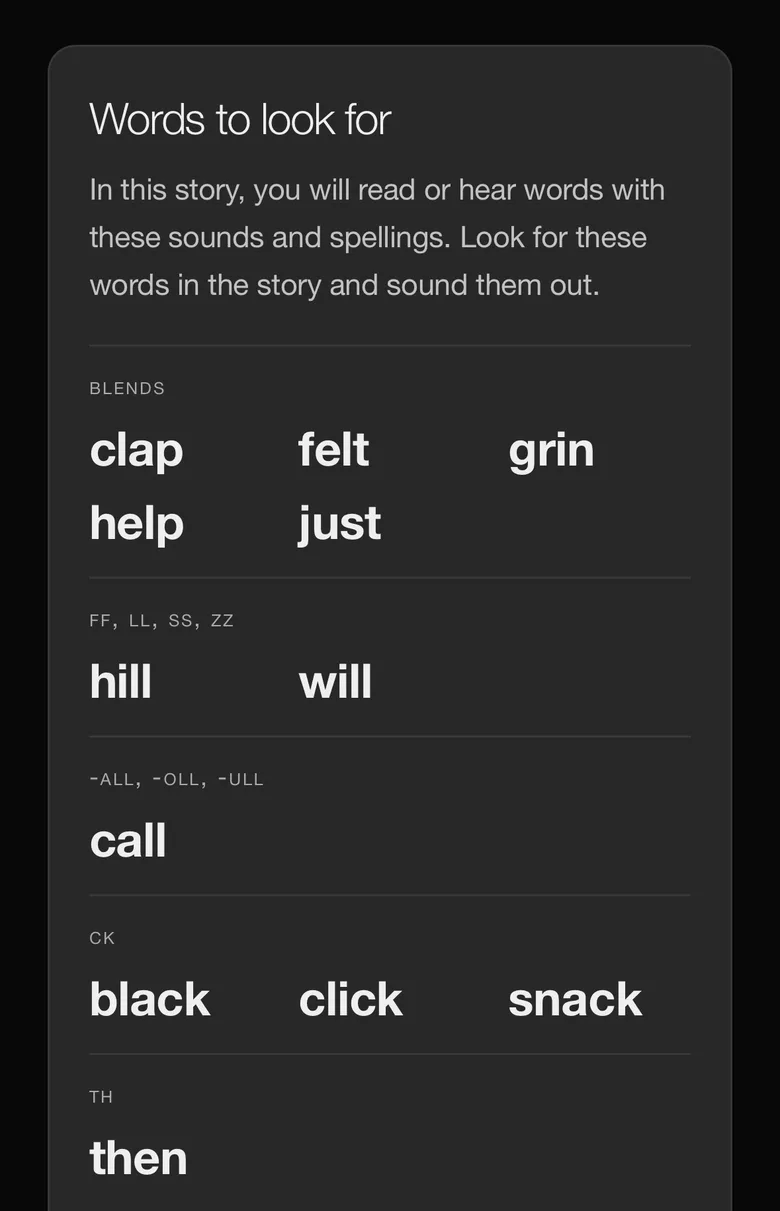
Check 2: read the hardest page
Read the page with the longest words aloud. At Level 1 you should find short vowel words and a few sight words; at Level 4, vowel teams and r-controlled vowels. Character names are always allowed, so a child can read a story about themselves. If a word is too hard, tell us at support@inkstak.ai, and edit it yourself with Select to Refine.
Check 3: look at every picture
Page through a story and look at the main character’s face, colors and outfit on each picture. They should be the same on every page, whatever the character is doing.
Check 4: make a second story
Make another story with the same saved character, in a different style or genre if you like. The character should still be recognisably the same one. That is what lets a child follow them from one book to the next.
Check 5: edit the character
Open the character’s card and change something, such as an outfit or a held item. New pictures follow the change. Existing books keep the character as they were made, so changing a character never alters a book you have already saved.